
Getting data from SwingU into Birdie Lab
Look, we get it. You’ve been diligently logging rounds into SwingU, watching your handicap fluctuate like the price of gas, and hoping those colorful charts would eventually tell you something useful.
You’ve been logging your rounds in SwingU, but let’s be honest: those basic charts are starting to feel like a participation trophy. You’re ready for the Truth. You want to know why you keep chunking it on the 1st and why your "straight" drive is actually a myth.
Birdie Lab is where that data finally grows up and starts working for you. Whether you’ve got five years of history or just finished the round of your life, here is how to liberate your data from SwingU and get it into Birdie Lab.
How to Get the Goods from SwingU
Before you can upload anything, you need to grab your data from SwingU.
Log in to the SwingU Website: Go to SwingU.com on your desktop.
Go to the "Rounds" Section: This is your historical archive.
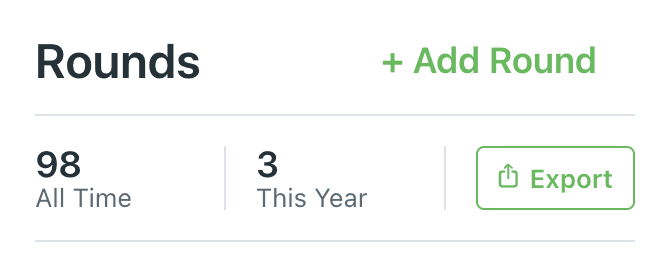
Export All Rounds: Look for the export button to download your entire history as a CSV file. SwingU might want to keep you in their walled garden, but this file is your ticket out.
Method 1: The Full Legacy Dump (Entire History)
If you want to see your long-term scoring trends and handicap movement, you need the big picture. Birdie Lab allows you to bulk import your historical rounds so you don’t have to start from zero.
Export from SwingU: Log into your SwingU.com account on the web. Head to the "Rounds" section. Look for the export option to grab your entire history as a CSV file.
The Birdie Hand-off: In Birdie Lab, go to the History module.
Upload: Click the CSV Import button. Select your SwingU file, and our engine will backfill your profile.

The Result: Instant dashboard insights—Average 18-hole score, total courses played, and that beautiful (or brutal) scoring trend chart.
Method 2: The Sniper Approach (Single Round)
Sometimes you don't need the whole history; you just need to perform an autopsy on today's round to see exactly where the strokes vanished.
Isolate the Round: SwingU exports often bundle everything together. Open your CSV file in Excel or Google Sheets.
Delete the Dead Weight: Find the rows for the rounds you don't want and delete them. Keep only the 18 rows (one for each hole) associated with that specific Round Id or date.
Log the Round: In Birdie Lab, navigate to Log Round.
Import Scorecard: Choose the Scorecard CSV upload option. This captures the hole-by-hole grit: strokes, putts, penalties, and even that "chunked" drive result you were hoping we wouldn't see.

The Result: Deep, hole-by-hole diagnostics in The Lab, including your "Vs Field" delta and miss maps.
Why the extra 2 minutes is worth it
SwingU captures the data, but Birdie Lab interprets it. Our system looks at your Drive Result (whether it was a slice, hook, or a pure 'straight' shot) and your Bunker Hits to build a radar profile of your game.
We turn those rows of CSV text into a strategy. You’ll stop guessing if you need a new driver and start realizing you just need to stop three-putting the par 3s.